
Odoo ERP for Canadian Businesses
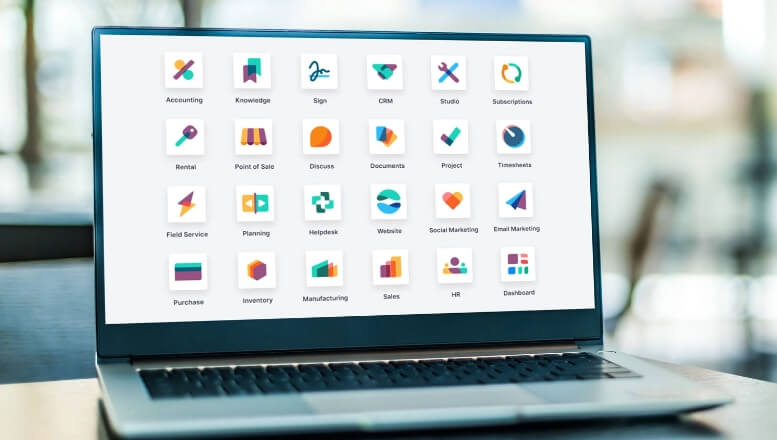
Odoo ERP is an open source enterprise resource planning tool that is aimed to cater businesses that are in search of a strong solution to their requirements but at the same time are cost-effective. It is multiple application integration such as CRM, inventory management, HR, and e-commerce which allows for a modular system to be in place.
The business only uses the modules they want which allows for expansion and performance in a much more customized way. As an Odoo ERP partner in Canada, service providers are equipped with localized knowledge that allows them to implement, train and support their clients seamlessly.

12 Million + Users

44,000 + Integrated Apps

1 to 24 months To be Implemented

3,600 + Employees
Microsoft Dynamics ERP for Canadian Businesses
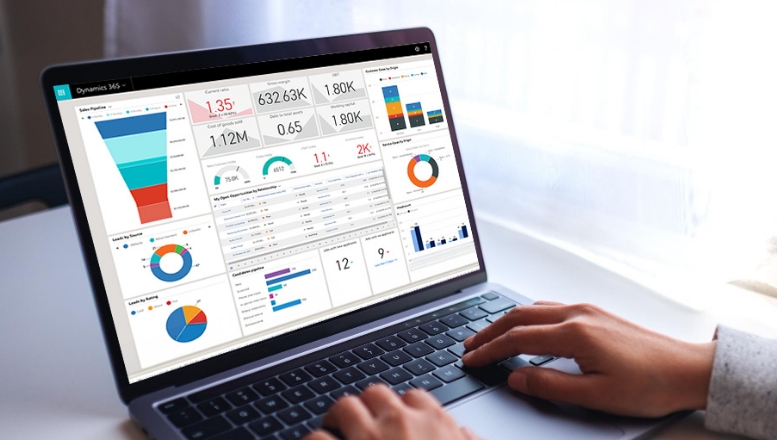
Microsoft Dynamics ERP is a suite of enterprise software solutions designed for organizations with broader operational needs and more complex workflows. It integrates seamlessly with other Microsoft technologies like Office 365, Power BI, Azure, and Teams, making it an attractive choice for businesses already using the Microsoft ecosystem.
Dynamics is well suited for mid-sized to large Canadian enterprises that need advanced financial management, robust reporting, and deep integration with existing technology stacks. That said, it may involve higher licensing costs and longer implementation timelines compared to more modular alternatives.
4 million + Users
15 Integrated Apps
3 to 24 months To be Implemented
10,000 + Employees
Odoo vs Microsoft Dynamics in Canada: Choosing the Right ERP for Your Business
Choosing the right ERP system is an important decision for Canadian businesses aiming to improve efficiency, streamline daily operations, and support long-term success. Odoo ERP and Microsoft Dynamics ERP are both well-established solutions in Canada, but they are designed for different business models, budgets, and operational complexities.
While Odoo offers modular flexibility and cost-effective scalability, Microsoft Dynamics focuses on structured processes and enterprise-grade integration. Each platform brings distinct strengths depending on company size and industry needs. Understanding these differences helps Canadian organizations make informed ERP choices. This comparison supports businesses in selecting a solution that aligns with growth goals, compliance needs, and operational priorities.
Features Comparison
Inventory Management


Multi-Warehouse


Storage Locations
Bin Replenishment
Mobile Device Support
Multi-Company
Multi-Currency
Multi-Language
Automatic ASN (Advanced Shipping Notice)
Package Management / Cartoning
Freight Carrier Integration
Manage Consignee Stocks
EDI (Electronic Data Interchange)
Non-Stocked Inventory
Multiple Variants
Multiple Units of Measure
Inter-Classe UoM Conversion
Variant Matrix
Lots / Serial Numbers
Up / Down Traceability
360° Traceability
Expiration Dates
Cycle Counting
Inventory Forecasts
Inventory Valuations
ABC Analysis
QR Code Support
RFID Support
Lots / Serial Numbers Support
Receptions
Picking
Internal Moves
Delivery Orders
Inventory Adjustments
FIFO / LIFO
Customizable Routes
Putaway Strategies
Wave Picking
Batch Picking
Zone Picking
Cluster Picking
Cross-Docking
Putaway Locations
Supply Chain
Vendor Data Management
Vendor Pricelist Management
Inbound Quality Control
Dropshipping
Purchase Requests
Purchase Orders
Purchase Approval Workflow
Request for Quotations
Contracts / Purchase Agreements
Minimum Stock Rules
Make-to-Order
Master Production Schedule
Manufacturing
Multi-Level BoM
By-Products / Co-Products
Routings
Subassemblies
One BoM for Multiples Product Variants
BoM Versioning
Multiple BoM / Routing
Demand Forecasting
MRP Scheduler
Gantt Chart Scheduling
Kanban Planning
Production Calendar
Infinite Capacity Scheduling
Finite Capacity Scheduling
Multiple Scheduling Plans
Delivery Date Calculation
Production Order Splitting / Merging
Manufacturing / Production Orders
Job Tracking
Work Orders / Operations
Automated Time Tracking
Disassembly Orders
Subcontracting
Rework / Repair
Scrap
Disposal Strategies
Kits
Edit Individual Production BoMs
Perpetual Inventory Valuation
Periodic Inventory Valuation
Standard Price
FIFO / LIFO
Landed Costs
Actual Production Labor
Production Order Costing
Shop Floor Terminals
Production Activities
Non-Production Activities
Time Tracking
Messages on Work Orders
Barcode Support
Equipment / Maching Management
Work Instructions on Work Orders
Maintenance Requests from Shop Floor Terminal
Schedule Management
Touchscreen Attendance
Timesheets
Breaks
Overtime
Vacation / Injury
Overall Equipment Efficiency
Work Time
Demand Forecast
Maintenances KPIs
Production Costs Analysis
Analytic Accounting
CSV Export
Dynamic Pivot Tables
Dashboards
Save Custom Reports
Maintenance
Schedule Preventive Maintenance
Maintenance Kanban
Maintenance Calendar
Shop Floor Integration
Multiple Teams / Sites
Asset Management
Subcontract Repair
Job Tracking
Inventory Management
Purchasing Integration
Rotating Asset Location
Equipment Serial Numbers
Equipment Maintenance History
Dealer Portal
QMS
At Reception
In-Process
Before Delivery
Inventory Quarantine
Quality Control Plan
Pass/Fail Checks
Measurement Checks
Quality Alerts / Nonconformance Documents
Print Nonconformance Documents
Corrective Actions
Documentation Management
Customer Satisfaction Surveys
Customers Complaints Management
Traceability of Operations
Resources Management
Nonconformance Costs
PLM
Engineering Change Orders (ECOs)
BoM Versioning Management
Routing Version Management
MRP Integration
Centralized BoM Management
Approval Workflows
BoM Version Difference Viewer
Bulk BoM Updates
Notification Mechanism
Project eMail Gateway
ECO Costing
AutoCAD
SolidWorks
Autodesk
Usability, Pricing & Conditions
Full Web Interface
Mobile App
App Store / Add-ons
Free Trial
Open-source
The Right Fit for Different Needs
Many companies belong to different areas, apart from the business goals.
- Micros, Small and Medium Entrepreneurs: Odoo is especially interesting for such entrepreneurs as it is cheap and flexible at the same time.
- Large Enterprises: It's pretty obvious that Microsoft Dynamics is built off of such enterprise grade products as NAV and AX, which allows these companies to maximize reports and include far more features than a small business ever would.
- Cost Limitations: Odoo is also useful for those entities that do not have enough money and want to gain experience with scalable and affordable ERPs. For Microsoft Dynamics, companies must have enough money since it is not cheap.
- Niche Requirements: On the other hand, Odoo is good for customizing the product to niche needs while Microsoft Dynamics does a better job with industry-based products.
| Comparison Factor | Odoo ERP | Microsoft Dynamics ERP |
|---|---|---|
| Business Size | Best for SMEs and growing businesses | Suited for mid-sized to large enterprisess |
| Cost & Licensing | More affordable, flexible pricing | Higher cost, enterprise licensing |
| Customization | Highly adaptable, open-source | Strong customization, Microsoft ecosystem |
| Implementation Timeline | Faster deployment | Longer deployment cycles |
| User Experience | Simple and intuitive | Comprehensive but steeper learning |
| Integration | ERP-focused integrations | Deep integration with Microsoft products | Scalability | Scales with modular add-ons | Built for enterprise-level growth |
Analyzing Odoo vs Microsoft Dynamics in Canada: Choosing the Right ERP for Your Business
Both Odoo ERP and Microsoft Dynamics ERP deliver value,
but your choice should match your business size, operational complexity, and growth plans.
Looking for ERP Implementation in Canada?
Work with experienced ERP consultants in Canada to evaluate
your requirements and choose the best platform to support your growth.
More Odoo ERP Comparisons
Odoo vs SAP
Odoo vs NetSuite
Odoo vs Quickbooks
Odoo Vs Salesforce
FAQs
Odoo focuses on modular flexibility and customization, while Microsoft Dynamics offers a more structured, enterprise-grade ERP integrated with the Microsoft ecosystem.
Odoo is generally better suited for small and mid-sized businesses due to its modular setup, faster implementation, and lower entry cost. Microsoft Dynamics is often chosen by organizations with more complex requirements.
Odoo is highly customizable because of its open-source architecture. Microsoft Dynamics supports customization as well, but it often requires additional configuration and technical effort.
Odoo typically offers quicker deployment since businesses can start with selected modules. Microsoft Dynamics implementations usually take longer due to broader system scope and enterprise-level planning.
Odoo provides a clean, modern interface that is easy to learn. Microsoft Dynamics is feature-rich but may require formal training for users to fully utilize its capabilities.